Click the Filter Options button to open the available filtering options.
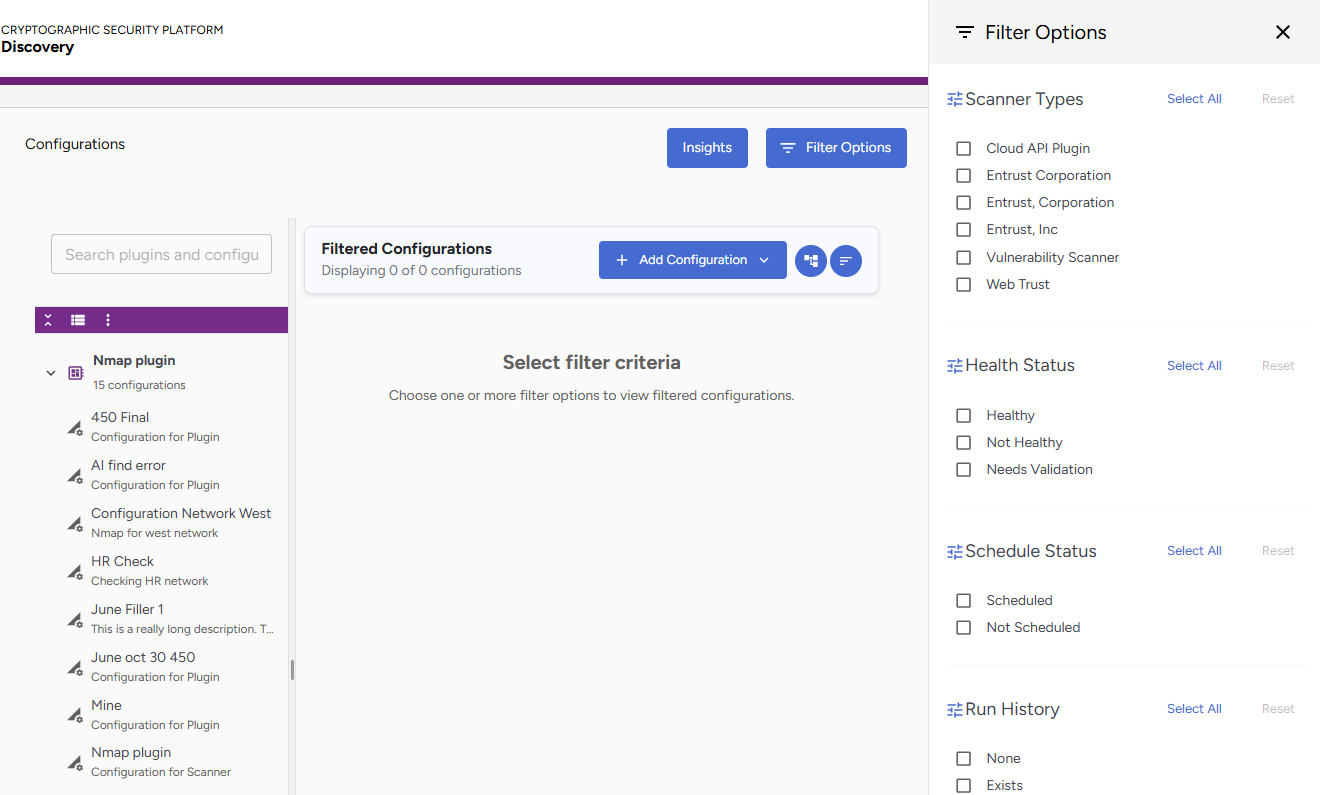
The following filters are available:
- The Scanner Types filter allows you to filter by scanner type.
- Third-party scanners are identified by the name of the plugin manufacturer.
- Built-in scanner plugins are identified by their category. For example, Cloud API, Vulnerability Scanner, Web Trust, etc.
- The Health Status filter allows you to filter by health status.
Status
Description
Healthy
Configurations passing connection tests
Invalid
Configurations with connection problems
Needs Validation
Configurations not yet tested
- The Schedule Status filter allows you to filter by schedule status.
Status
Description
Scheduled
Configurations with active schedules
Not Scheduled
No associated schedule
- The Run History filter allows you to filter by run history:
Status
Description
Scheduled
Configurations with active schedules
Not Scheduled
No associated schedule
After running a filter, you can perform actions such as:
- Check the active filter count on the Filter Options button.
- Click Clear All Filters inside the drawer to reset all applied filters.