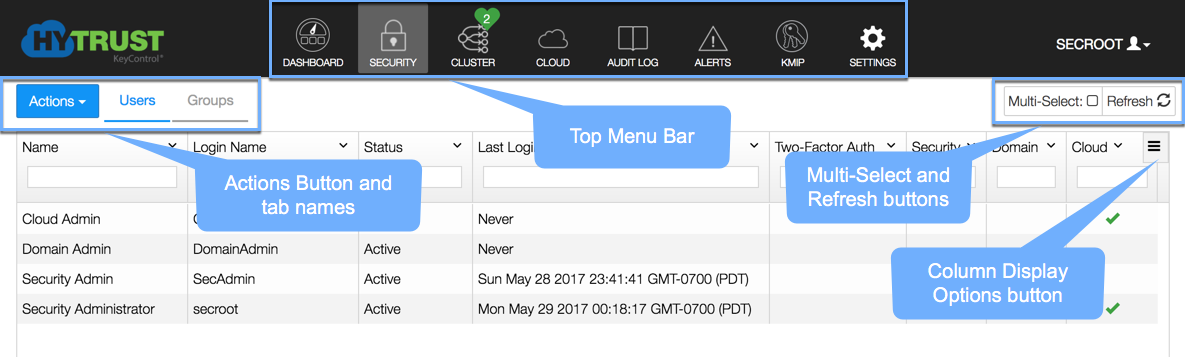
When you configure a KeyControl cluster, you assign each node in the cluster a static IP address. When you navigate to one of those static IP addresses in a web browser, KeyControl displays the KeyControl webGUI. The webGUI lets you configure KeyControl and manage the VMs registered with the cluster.
You can log into the webGUI on any KeyControl node in the cluster and the changes will be automatically disseminated to all nodes in the cluster.
| Note: | You should always explicitly log out of the webGUI when you are finished. If you close the browser without logging out first, KeyControl keeps your session active until the Session Timeout is reached. |
Figure: Example of the KeyControl webGUI Interface
The main features of the KeyControl webGUI are:
For all tables in the webGUI, you can:
For information about logging into the webGUI for the first time, see Initializing the KeyControl webGUI. For information about administring KeyControl using the webGUI, see KeyControl System Configuration.
|
v 4.1 |
Copyright © 2017 HyTrust, Inc. All Rights Reserved. |
Follow us: |

