Configuring KeyControl Vault for Oracle TDE
This section explains how to configure KeyControl Vault for Oracle TDE.
Create KeyControl Vault Key Set for Oracle TDE
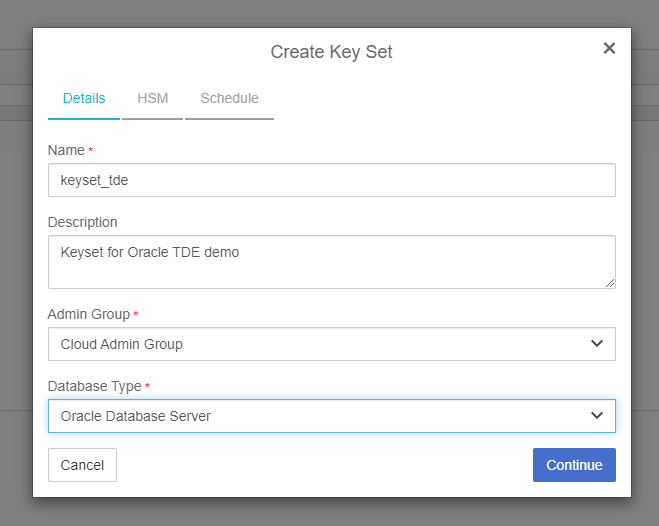
If an HSM configured with KeyControl Vault, you can create keyset with HSM support enabled.
To create the KeyControl Key Set for TDE.
-
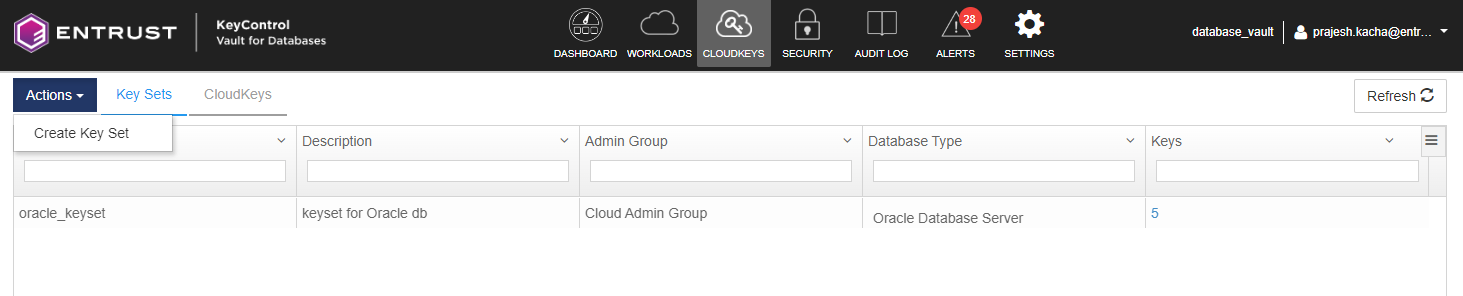
Navigate to CLOUD KEYS > KeySet tab.
-
Create a KeySet of type TDE.
-
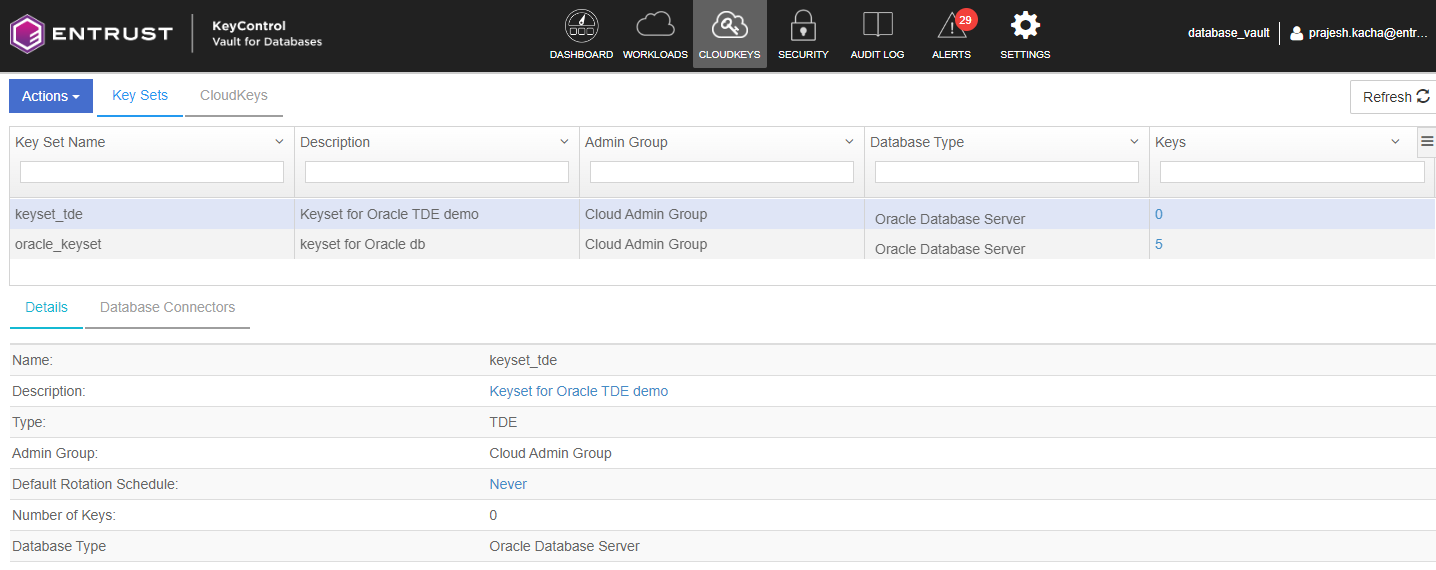
To check that the KeySet is created correctly, select the KeySet from the Key Set list.
Enable TDE on Oracle Server
Before creating the KeyControl Vault Database Connector, you must enable TDE on the Oracle Server VM.
To enable TDE, run the following command on the Oracle Server VM.
hcl tde enable –yConfigure KeyControl Vault Database Connector
To create the KeyControl Vault Database Connector.
-
Create a Database Connector for this KeySet and the Oracle Server VM.
This is the VM registered during installation. See Install and register the Entrust Policy Agent
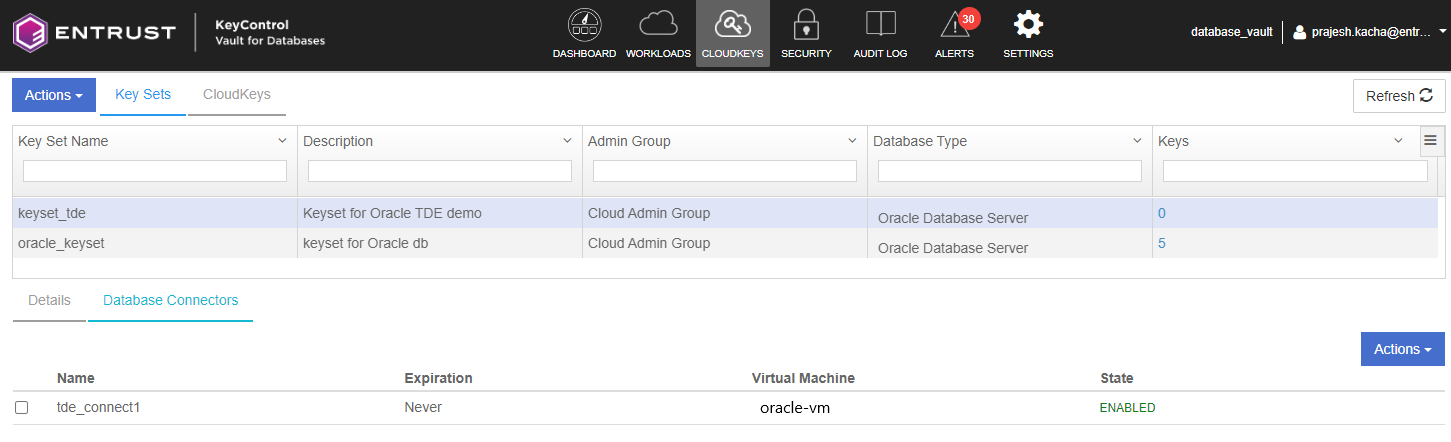
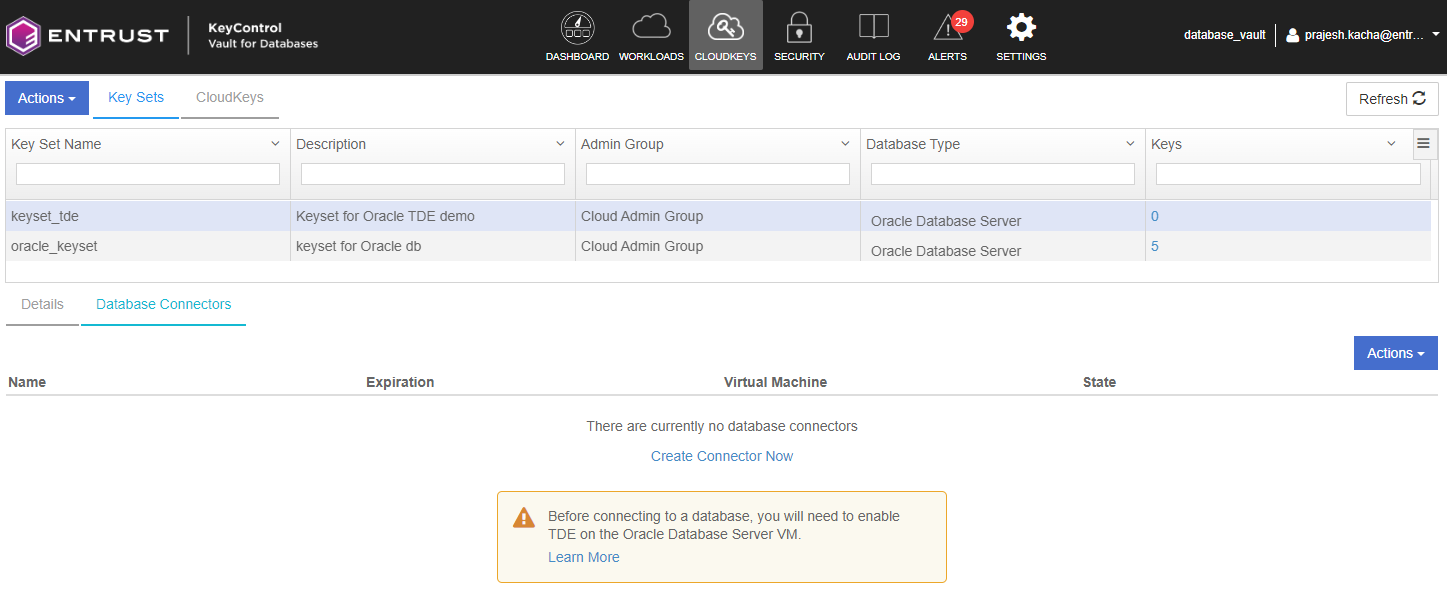
Navigate to the KeySet and select the Database Connectors tab. Select Create Connector Now.
-
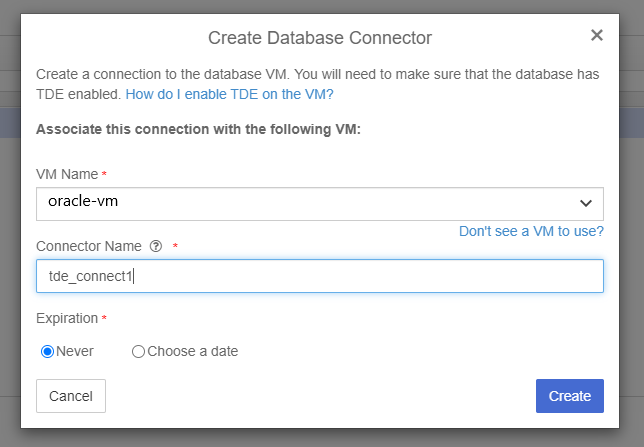
Enter the VM Name and Connector Name.
-
Check the database connector is created correctly.