Configure system-wide options for the Discovery application.
Upload
Configure automatic uploads of scan results to Certificate Manager.
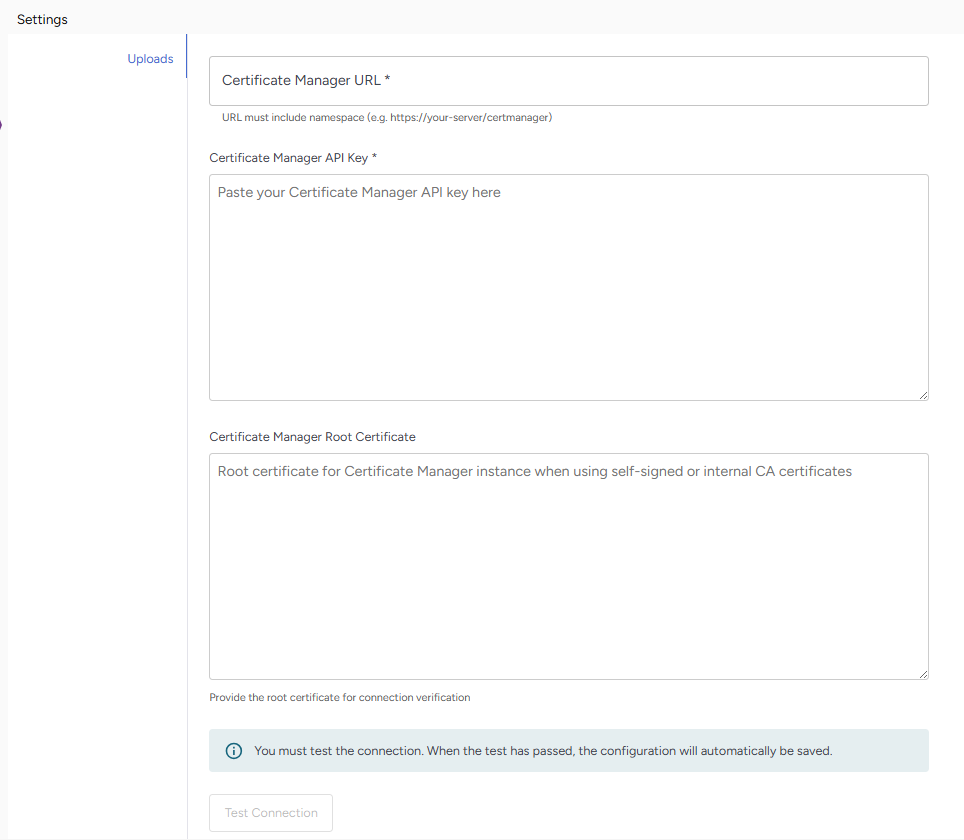
Required fields include:
Field | Value |
|---|---|
Certificate Manager URL | The web address of your Certificate Manager instance (must include the namespace path, not just the server address) |
Certificate Manager API Key | Add your API authentication token. Get this token from your Certificate Manager administrator. |
Certificate Manager Root Certificate (Optional) | Provide the root certificate if your Certificate Manager uses self-signed or internal CA certificates. Leave blank if using publicly trusted certificates. |
Certificate Trust
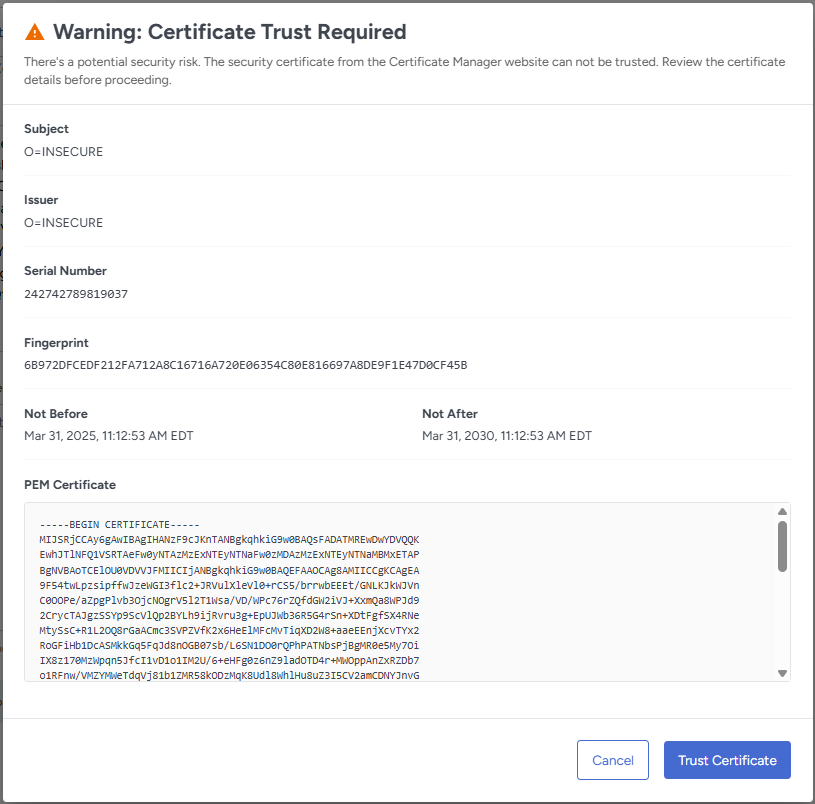
If SSL certificate verification is needed, A dialog appears showing certificate details:
- Certificate subject (who it's issued to)
- Issuer (who signed it)
- Serial number and fingerprint
- Valid dates (from/to)
- Full PEM certificate text
Review the certificate information carefully and click Trust Certificate.
Click Save to save the connection.
You cannot save your configuration until you've tested the connection.