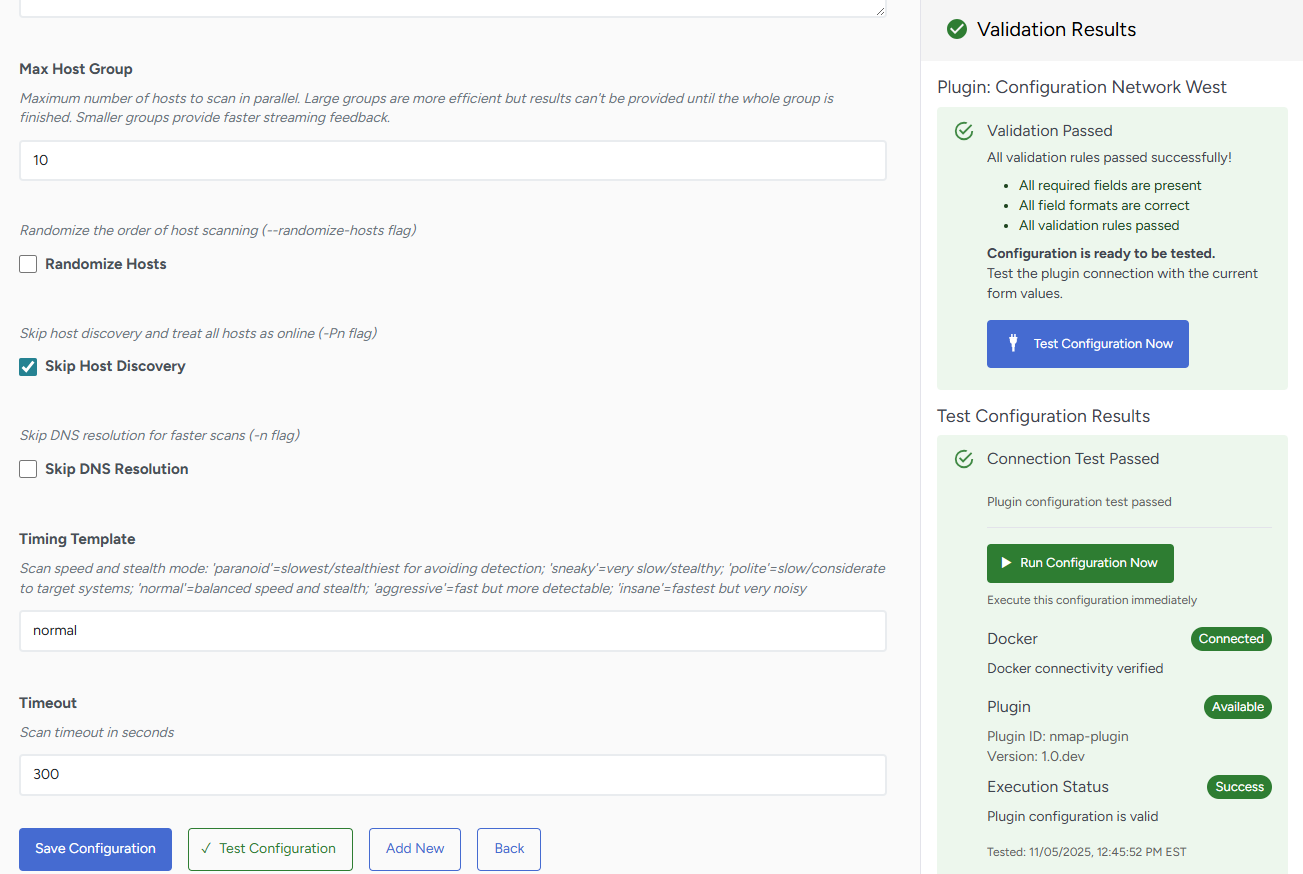
The system continuously validates your configuration inputs, providing immediate feedback on the correctness and completeness of parameters. Once validation passes, you must verify connectivity by testing the actual connection to your target systems. This workflow ensures that only validated, tested configurations are deployed in your environment, reducing the likelihood of failed scans due to configuration errors or connectivity issues.
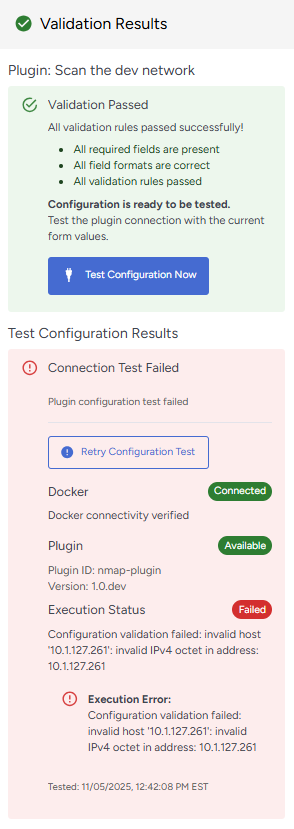
The three areas that are tested are:
- Docker status,
- Plugin availability,
- Execution status.
Following the successful connection testing, you must save your configuration to make it operational. At this point, you have three options:
- Run Configuration Now: Execute immediately to begin scanning with the current configuration
- Add New: Create additional configurations for the same plugin type to target different network segments or use different parameters.
- Back: Return to the main configuration page to manage your complete configuration portfolio.